


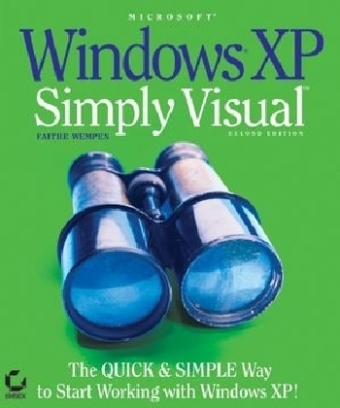
Microsoft Windows XP
Sybex Inc.,U.S. (Verlag)
978-0-7821-4394-2 (ISBN)
- Titel ist leider vergriffen;
keine Neuauflage - Artikel merken
This highly illustrated introduction to the latest release of Windows XP is packed with easy–to–follow lessons that make learning simple.
Learning How to Use Windows XP Has Never Been Easier! This highly illustrated introduction to the latest release of Windows XP is packed with easy-to-follow lessons that make learning simple. Just follow the screens and instructions, step by step, and you'll understand the most essential and frequently used features of Windows XP Professional and Windows XP Home Edition. If you want to explore beyond the basics, you'll find tips on customizing your computer, setting up a home network, and much more.
Master all the fundamental skills, including:
Navigating and managing files and folders
Installing and running programs with Windows XP
Working with photographs and still images
Playing with music and videos
Customizing the look and function of Windows XP
Setting up a home network
Connecting your computer to the Internet
Exploring the web
Communicating online
Customizing your online experience
Optimizing system performance
Safeguarding and troubleshooting your system
Installing new hardware
Faithe Wempen has authored over 20 computer books on topics including Microsoft's Windows Me, Windows 98, Office, Access and PowerPoint. Skilled at instructing newbies, Wempen's Indianapolis-based training operation teaches beginners how to use PCs. Wempen is A+ certified, holds a master?s degree in English, and has taught writing and composition.
Introduction.
Part 1: Navigating and Managing Files and Folders in Windows XP.
Chapter 1: Getting Started with Windows XP Home Edition.
Chapter 2: Navigating in a Window.
Chapter 3: Managing Files, Folders, and Disks.
Chapter 4: Setting File Management Options.
Part 2: Running Programs with Windows XP.
Chapter 5: Program Basics and Exploring Accessories.
Chapter 6: Installing New Programs.
Chapter 7: Organizing Your Programs.
Part 3: Working with Multimedia Content.
Chapter 8: Working with Photographs and Still Images.
Chapter 9: Playing Music and Videos.
Chapter 10: Creating Your Own Sounds and Videos.
Part 4: Customizing Windows XP.
Chapter 11: Adjusting Screen Appearance.
Chapter 12: Customizing System Settings.
Chapter 13: Managing Fonts and Printers.
Chapter 14: Sharing a PC with Multiple Users.
Part 5: Online and Network Connectivity.
Chapter 15: Setting Up a Home Network.
Chapter 16: Connecting to the Internet.
Chapter 17: Exploring the Web.
Chapter 18: Communicating Online.
Chapter 19: Customizing Your Online Experience.
Part 6: System Maintenance.
Chapter 20: Optimizing System Performance.
Chapter 21: Safeguarding and Troubleshooting.
Chapter 22: Installing New Hardware.
Index.
| Erscheint lt. Verlag | 12.11.2004 |
|---|---|
| Reihe/Serie | Simply Visual |
| Verlagsort | New York |
| Sprache | englisch |
| Maße | 185 x 224 mm |
| Gewicht | 794 g |
| Einbandart | Paperback |
| Themenwelt | Informatik ► Betriebssysteme / Server ► Windows |
| Informatik ► Office Programme ► Office | |
| ISBN-10 | 0-7821-4394-6 / 0782143946 |
| ISBN-13 | 978-0-7821-4394-2 / 9780782143942 |
| Zustand | Neuware |
| Informationen gemäß Produktsicherheitsverordnung (GPSR) | |
| Haben Sie eine Frage zum Produkt? |
aus dem Bereich


