


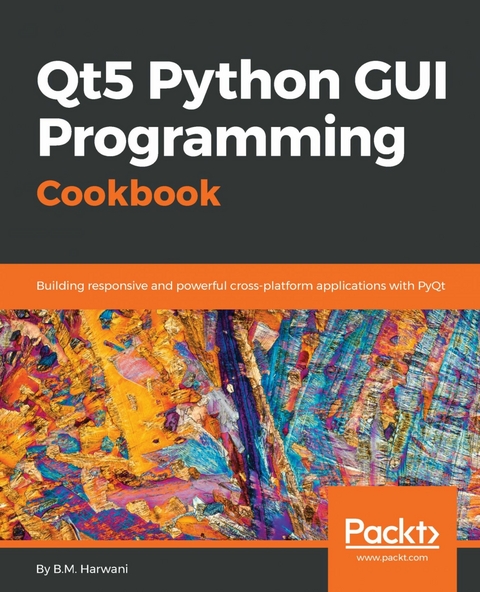
Qt5 Python GUI Programming Cookbook (eBook)
462 Seiten
Packt Publishing (Verlag)
978-1-78883-046-1 (ISBN)
Over 60 recipes to help you design interactive, smart, and cross-platform GUI applications
Key Features
- Get succinct QT solutions to pressing GUI programming problems in Python
- Learn how to effectively implement reactive programming
- Build customized applications that are robust and reliable
Book Description
PyQt is one of the best cross-platform interface toolkits currently available; it's stable, mature, and completely native. If you want control over all aspects of UI elements, PyQt is what you need. This book will guide you through every concept necessary to create fully functional GUI applications using PyQt, with only a few lines of code.
As you expand your GUI using more widgets, you will cover networks, databases, and graphical libraries that greatly enhance its functionality. Next, the book guides you in using Qt Designer to design user interfaces and implementing and testing dialogs, events, the clipboard, and drag and drop functionality to customize your GUI. You will learn a variety of topics, such as look and feel customization, GUI animation, graphics rendering, implementing Google Maps, and more. Lastly, the book takes you through how Qt5 can help you to create cross-platform apps that are compatible with Android and iOS. You will be able to develop functional and appealing software using PyQt through interesting and fun recipes that will expand your knowledge of GUIs
What you will learn
- Use basic Qt components, such as a radio button, combo box, and sliders
- Use QSpinBox and sliders to handle different signals generated on mouse clicks
- Work with different Qt layouts to meet user interface requirements
- Create custom widgets and set up customizations in your GUI
- Perform asynchronous I/O operations and thread handling in the Python GUI
- Employ network concepts, internet browsing, and Google Maps in UI
- Use graphics rendering and implement animation in your GUI
- Make your GUI application compatible with Android and iOS devices
Who this book is for
If you're an intermediate Python programmer wishing to enhance your coding skills by writing powerful GUIs in Python using PyQT, this is the book for you.
Over 60 recipes to help you design interactive, smart, and cross-platform GUI applicationsKey Features Get succinct QT solutions to pressing GUI programming problems in Python Learn how to effectively implement reactive programming Build customized applications that are robust and reliableBook DescriptionPyQt is one of the best cross-platform interface toolkits currently available; it's stable, mature, and completely native. If you want control over all aspects of UI elements, PyQt is what you need. This book will guide you through every concept necessary to create fully functional GUI applications using PyQt, with only a few lines of code.As you expand your GUI using more widgets, you will cover networks, databases, and graphical libraries that greatly enhance its functionality. Next, the book guides you in using Qt Designer to design user interfaces and implementing and testing dialogs, events, the clipboard, and drag and drop functionality to customize your GUI. You will learn a variety of topics, such as look and feel customization, GUI animation, graphics rendering, implementing Google Maps, and more. Lastly, the book takes you through how Qt5 can help you to create cross-platform apps that are compatible with Android and iOS. You will be able to develop functional and appealing software using PyQt through interesting and fun recipes that will expand your knowledge of GUIsWhat you will learn Use basic Qt components, such as a radio button, combo box, and sliders Use QSpinBox and sliders to handle different signals generated on mouse clicks Work with different Qt layouts to meet user interface requirements Create custom widgets and set up customizations in your GUI Perform asynchronous I/O operations and thread handling in the Python GUI Employ network concepts, internet browsing, and Google Maps in UI Use graphics rendering and implement animation in your GUI Make your GUI application compatible with Android and iOS devicesWho this book is forIf you're an intermediate Python programmer wishing to enhance your coding skills by writing powerful GUIs in Python using PyQT, this is the book for you.
| Erscheint lt. Verlag | 30.7.2018 |
|---|---|
| Sprache | englisch |
| Themenwelt | Mathematik / Informatik ► Informatik ► Programmiersprachen / -werkzeuge |
| Schlagworte | Animation • cross-platform GUI • graphics • GUI • PyQt • Python • QT Layouts |
| ISBN-10 | 1-78883-046-6 / 1788830466 |
| ISBN-13 | 978-1-78883-046-1 / 9781788830461 |
| Informationen gemäß Produktsicherheitsverordnung (GPSR) | |
| Haben Sie eine Frage zum Produkt? |
 EPUB (Adobe DRM)
Größe: 6,0 MB
Kopierschutz: Adobe-DRM
Adobe-DRM ist ein Kopierschutz, der das eBook vor Mißbrauch schützen soll. Dabei wird das eBook bereits beim Download auf Ihre persönliche Adobe-ID autorisiert. Lesen können Sie das eBook dann nur auf den Geräten, welche ebenfalls auf Ihre Adobe-ID registriert sind.
Details zum Adobe-DRM
Dateiformat: EPUB (Electronic Publication)
EPUB ist ein offener Standard für eBooks und eignet sich besonders zur Darstellung von Belletristik und Sachbüchern. Der Fließtext wird dynamisch an die Display- und Schriftgröße angepasst. Auch für mobile Lesegeräte ist EPUB daher gut geeignet.
Systemvoraussetzungen:
PC/Mac: Mit einem PC oder Mac können Sie dieses eBook lesen. Sie benötigen eine
eReader: Dieses eBook kann mit (fast) allen eBook-Readern gelesen werden. Mit dem amazon-Kindle ist es aber nicht kompatibel.
Smartphone/Tablet: Egal ob Apple oder Android, dieses eBook können Sie lesen. Sie benötigen eine
Geräteliste und zusätzliche Hinweise
Buying eBooks from abroad
For tax law reasons we can sell eBooks just within Germany and Switzerland. Regrettably we cannot fulfill eBook-orders from other countries.
EPUB (Ohne DRM)Digital Rights Management: ohne DRM
Dieses eBook enthält kein DRM oder Kopierschutz. Eine Weitergabe an Dritte ist jedoch rechtlich nicht zulässig, weil Sie beim Kauf nur die Rechte an der persönlichen Nutzung erwerben.
Dateiformat: EPUB (Electronic Publication)
EPUB ist ein offener Standard für eBooks und eignet sich besonders zur Darstellung von Belletristik und Sachbüchern. Der Fließtext wird dynamisch an die Display- und Schriftgröße angepasst. Auch für mobile Lesegeräte ist EPUB daher gut geeignet.
Systemvoraussetzungen:
PC/Mac: Mit einem PC oder Mac können Sie dieses eBook lesen. Sie benötigen dafür die kostenlose Software Adobe Digital Editions.
eReader: Dieses eBook kann mit (fast) allen eBook-Readern gelesen werden. Mit dem amazon-Kindle ist es aber nicht kompatibel.
Smartphone/Tablet: Egal ob Apple oder Android, dieses eBook können Sie lesen. Sie benötigen dafür eine kostenlose App.
Geräteliste und zusätzliche Hinweise
Buying eBooks from abroad
For tax law reasons we can sell eBooks just within Germany and Switzerland. Regrettably we cannot fulfill eBook-orders from other countries.
aus dem Bereich


