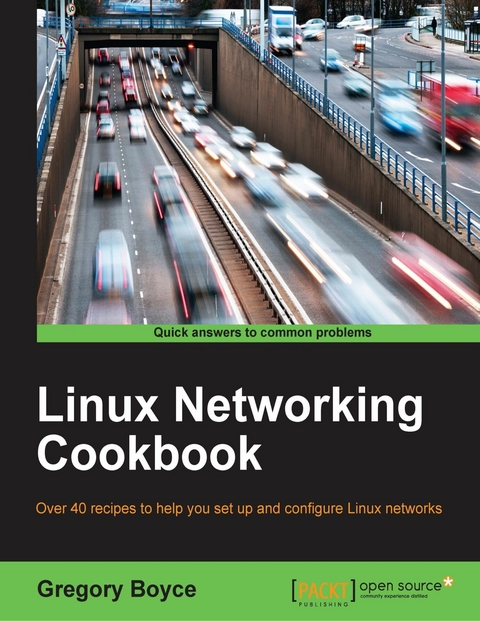
Linux Networking Cookbook (eBook)
152 Seiten
Packt Publishing (Verlag)
978-1-78528-597-4 (ISBN)
Over 40 recipes to help you set up and configure Linux networks
About This Book
- Move beyond the basics of how a Linux machine works and gain a better understanding of Linux networks and their configuration
- Impress your peers by setting up and configuring a Linux server and its various network elements like a pro
- This is a hands-on solution guide to building, maintaining, and securing a network using Linux
Who This Book Is For
This book is targeted at Linux systems administrators who have a good basic understanding and some prior experience of how a Linux machine operates, but want to better understand how various network services function, how to set them up, and how to secure them. You should be familiar with how to set up a Linux server and how to install additional software on them.
What You Will Learn
- Route an IPv6 netblock to your local network
- Modify your named instance to support setting hostnames for your IPv6 addresses
- Use SSH for remote console access
- Configure NGINX with TLS
- Secure XMPP with TLS
- Leverage iptables6 to firewall your IPv6 traffic
- Configure Samba as an Active Directory compatible directory service
In Detail
Linux can be configured as a networked workstation, a DNS server, a mail server, a firewall, a gateway router, and many other things. These are all part of administration tasks, hence network administration is one of the main tasks of Linux system administration. By knowing how to configure system network interfaces in a reliable and optimal manner, Linux administrators can deploy and configure several network services including file, web, mail, and servers while working in large enterprise environments.
Starting with a simple Linux router that passes traffic between two private networks, you will see how to enable NAT on the router in order to allow Internet access from the network, and will also enable DHCP on the network to ease configuration of client systems. You will then move on to configuring your own DNS server on your local network using bind9 and tying it into your DHCP server to allow automatic configuration of local hostnames. You will then future enable your network by setting up IPv6 via tunnel providers.
Moving on, we'll configure Samba to centralize authentication for your network services; we will also configure Linux client to leverage it for authentication, and set up a RADIUS server that uses the directory server for authentication.
Toward the end, you will have a network with a number of services running on it, and will implement monitoring in order to detect problems as they occur.
Style and approach
This book is packed with practical recipes and a task-based approach that will walk you through building, maintaining, and securing a computer network using Linux.
Over 40 recipes to help you set up and configure Linux networksAbout This BookMove beyond the basics of how a Linux machine works and gain a better understanding of Linux networks and their configurationImpress your peers by setting up and configuring a Linux server and its various network elements like a proThis is a hands-on solution guide to building, maintaining, and securing a network using LinuxWho This Book Is ForThis book is targeted at Linux systems administrators who have a good basic understanding and some prior experience of how a Linux machine operates, but want to better understand how various network services function, how to set them up, and how to secure them. You should be familiar with how to set up a Linux server and how to install additional software on them.What You Will LearnRoute an IPv6 netblock to your local networkModify your named instance to support setting hostnames for your IPv6 addressesUse SSH for remote console accessConfigure NGINX with TLSSecure XMPP with TLSLeverage iptables6 to firewall your IPv6 trafficConfigure Samba as an Active Directory compatible directory serviceIn DetailLinux can be configured as a networked workstation, a DNS server, a mail server, a firewall, a gateway router, and many other things. These are all part of administration tasks, hence network administration is one of the main tasks of Linux system administration. By knowing how to configure system network interfaces in a reliable and optimal manner, Linux administrators can deploy and configure several network services including file, web, mail, and servers while working in large enterprise environments.Starting with a simple Linux router that passes traffic between two private networks, you will see how to enable NAT on the router in order to allow Internet access from the network, and will also enable DHCP on the network to ease configuration of client systems. You will then move on to configuring your own DNS server on your local network using bind9 and tying it into your DHCP server to allow automatic configuration of local hostnames. You will then future enable your network by setting up IPv6 via tunnel providers.Moving on, we'll configure Samba to centralize authentication for your network services; we will also configure Linux client to leverage it for authentication, and set up a RADIUS server that uses the directory server for authentication.Toward the end, you will have a network with a number of services running on it, and will implement monitoring in order to detect problems as they occur.Style and approachThis book is packed with practical recipes and a task-based approach that will walk you through building, maintaining, and securing a computer network using Linux.
| Erscheint lt. Verlag | 28.6.2016 |
|---|---|
| Sprache | englisch |
| Themenwelt | Informatik ► Netzwerke ► Sicherheit / Firewall |
| ISBN-10 | 1-78528-597-1 / 1785285971 |
| ISBN-13 | 978-1-78528-597-4 / 9781785285974 |
| Informationen gemäß Produktsicherheitsverordnung (GPSR) | |
| Haben Sie eine Frage zum Produkt? |
 EPUB (Adobe DRM)
Kopierschutz: Adobe-DRM
Adobe-DRM ist ein Kopierschutz, der das eBook vor Mißbrauch schützen soll. Dabei wird das eBook bereits beim Download auf Ihre persönliche Adobe-ID autorisiert. Lesen können Sie das eBook dann nur auf den Geräten, welche ebenfalls auf Ihre Adobe-ID registriert sind.
Details zum Adobe-DRM
Dateiformat: EPUB (Electronic Publication)
EPUB ist ein offener Standard für eBooks und eignet sich besonders zur Darstellung von Belletristik und Sachbüchern. Der Fließtext wird dynamisch an die Display- und Schriftgröße angepasst. Auch für mobile Lesegeräte ist EPUB daher gut geeignet.
Systemvoraussetzungen:
PC/Mac: Mit einem PC oder Mac können Sie dieses eBook lesen. Sie benötigen eine
eReader: Dieses eBook kann mit (fast) allen eBook-Readern gelesen werden. Mit dem amazon-Kindle ist es aber nicht kompatibel.
Smartphone/Tablet: Egal ob Apple oder Android, dieses eBook können Sie lesen. Sie benötigen eine
Geräteliste und zusätzliche Hinweise
Buying eBooks from abroad
For tax law reasons we can sell eBooks just within Germany and Switzerland. Regrettably we cannot fulfill eBook-orders from other countries.
aus dem Bereich