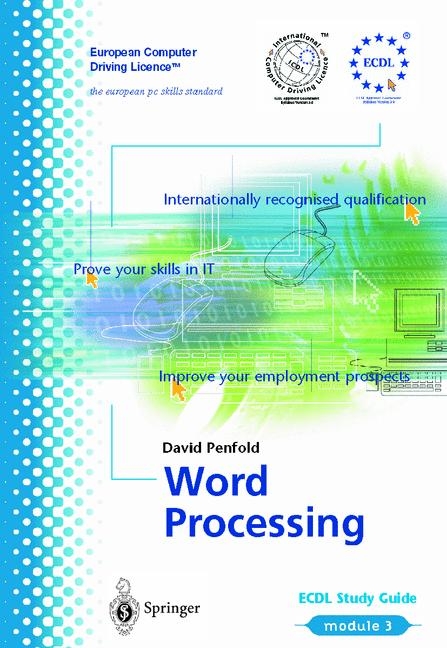
ECDL Module 3: Word Processing
Springer London Ltd (Verlag)
978-1-85233-444-4 (ISBN)
- Titel ist leider vergriffen;
keine Neuauflage - Artikel merken
Introduction: What is a Word Processor?. What is Formatting?. Which Word Processor?. Outline of the Guide.- First Steps with Word Processing: Opening Word 97. The Word Window. Opening an Existing Document. Opening Several Documents. Creating a New Document. Saving a Document. Saving a File under a New Name, in a Different Directory or on a Different Medium. Closing a Document and Closing Word. Using Help.- Adjusting Basic Settings: Changing Display Modes. Changing Page Magnification. Changing the Toolbar Display.- Saving Documents in Other Formats: Saving a Document as a Simple Text File. Saving a Document for Use in Other Versions of Word and Other Word Processors. Saving a Document for Use in Rich Text Format. Saving a Document as a Template. Saving Versions of a Document. Saving a Document in a Form that can be Put Up on the World Wide Web.- Inserting, Deleting and Editing Characters: Editing and Deleting Characters. Entering Words, Sentences and Paragraphs. Inserting Symbols and Special Characters. Inserting a Page Break. Using Undo (and Redo).- Selecting, Copying, Moving and Deleting Data: Selecting Text. Copying and Moving Text. The Clipboard, Copy, Cut and Paste. Deleting Text.- Searching and Replacing: Finding Characters. Replacing Characters. Using Go To.- Text Formatting: Formatting Fonts. Formatting Paragraphs. Copying Formats. General Formatting: Tabs, Lists and Borders: Using and Setting Tab Markers. Formatting Tabs. Lists. Borders.- Styles and Templates: Using Templates. Using Styles.- Page Numbering, Headers and Footers: Adding Page Numbers. Headers and Footers.- Checking and Changing Spelling and Grammar: Checking and Correcting Spelling. Checking and Correcting Grammar.- Document Set-up: Paper Size and Paper Source. Margins.- Printing Documents: Print Preview. Using Basic Printing Options, including Choosing the Printer. Viewing the Process of Printing.- Creating, Editing and Formatting Tables: Creating a Table. Changing Cell Attributes. Formattingand AutoFormat. Splitting a Table.- Drawing Objects and Handling Images: Adding an Illustration. Adding and Handling AutoShapes. Moving and Placing Images and Drawn Objects in a Document. Sizing and Cropping Images.- Importing Objects: Copying and Pasting. Inserting a File. Inserting Objects. Pasting Objects.- Mail Merge: Creating the List. Creating the Main Document. Merging.
| Erscheint lt. Verlag | 29.1.2001 |
|---|---|
| Reihe/Serie | European Computer Driving Licence | 1.10 |
| Zusatzinfo | 175 Illustrations, black and white; II, 183 p. 175 illus. |
| Verlagsort | England |
| Sprache | englisch |
| Maße | 152 x 229 mm |
| Gewicht | 350 g |
| Themenwelt | Informatik ► Office Programme ► Word |
| Informatik ► Weitere Themen ► Hardware | |
| ISBN-10 | 1-85233-444-4 / 1852334444 |
| ISBN-13 | 978-1-85233-444-4 / 9781852334444 |
| Zustand | Neuware |
| Informationen gemäß Produktsicherheitsverordnung (GPSR) | |
| Haben Sie eine Frage zum Produkt? |
aus dem Bereich