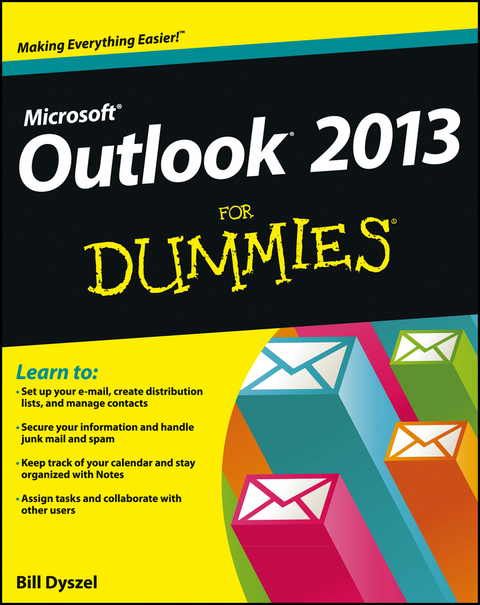
Outlook 2013 For Dummies (eBook)
John Wiley & Sons (Verlag)
978-1-118-49048-8 (ISBN)
Bill Dyszel is a nationally known expert on personal information management and sales automation technology. He is a frequent speaker at technology conferences and serves as a consultant on the selection and implementation of business solutions. Bill has written more than a dozen technology books.
Introduction 1
Part I: Getting Started with Outlook 2013 9
Chapter 1: The Outlook Features You Really Need to Know 11
Chapter 2: Inside Outlook: Getting More Done with Less Effort
23
Chapter 3: On the Fast Track: Drag 'til You Drop 37
Part II: Taming the E-Mail Beast 51
Chapter 4: The Essential Secrets of E-Mail 53
Chapter 5: E-Mail Tools You Can't Do Without 73
Chapter 6: Conquering Your Mountain of Messages 87
Part III: Managing Contacts, Dates, Tasks, and
More 125
Chapter 7: Your Little Black Book: Creating Contacts Lists
127
Chapter 8: Unleashing the Calendar's Power 151
Chapter 9: Task Mastery: Discovering All the Bells and Whistles
171
Chapter 10: For the Record: Notes and Journal Entries 193
Part IV: Beyond the Basics: Tips and Tricks You Won't
Want to Miss 211
Chapter 11: Social Media Magic with Outlook RSS 213
Chapter 12: Powering Your Home Offi ce with Outlook 227
Chapter 13: Merging Mail from Outlook to Microsoft Word 235
Part V: Outlook at Work 243
Chapter 14: Big-Time Collaboration with Outlook 245
Chapter 15: Keeping Secrets Safe with Outlook Security 269
Chapter 16: Seeing It Your Way: Customizing Outlook 277
Chapter 17: Telecommuting with Outlookcom and Outlook Web Access
297
Part VI: The Part of Tens 317
Chapter 18: Ten Accessories for Outlook 319
Chapter 19: Ten Things You Can't Do with Outlook 323
Chapter 20: Ten Things You Can Do after You're Comfy
327
Chapter 21: Ten Shortcuts Worth Taking 333
Index 339
| Erscheint lt. Verlag | 11.2.2013 |
|---|---|
| Sprache | englisch |
| Themenwelt | Informatik ► Netzwerke ► Mail Server |
| Informatik ► Office Programme ► Outlook | |
| Schlagworte | Book on Outlook, book on Outlook 2013, guide to Outlook, guide to Outlook 2013, Outlook reference, Outlook 2013 reference, Outlook 2013 guide, answers to common Outlook questions, how to use Outlook, how to use Outlook 2013, instructions on Outlook, instructions on Outlook 2013, how to use Outlook e-mail, how to use the Outlook calendar, how to use Outlook 2013 e-mail, how to use the Outlook 2013 calendar, Outlook e-mail features, Outlook 2013 e-mail features, how to customize Outlook, using the Ribbon, Out • Computer-Ratgeber • End-User Computing • Office Productivity-Microsoft (General & Office suite) • Office-Software Microsoft |
| ISBN-10 | 1-118-49048-7 / 1118490487 |
| ISBN-13 | 978-1-118-49048-8 / 9781118490488 |
| Informationen gemäß Produktsicherheitsverordnung (GPSR) | |
| Haben Sie eine Frage zum Produkt? |
 EPUB (Adobe DRM)
Kopierschutz: Adobe-DRM
Adobe-DRM ist ein Kopierschutz, der das eBook vor Mißbrauch schützen soll. Dabei wird das eBook bereits beim Download auf Ihre persönliche Adobe-ID autorisiert. Lesen können Sie das eBook dann nur auf den Geräten, welche ebenfalls auf Ihre Adobe-ID registriert sind.
Details zum Adobe-DRM
Dateiformat: EPUB (Electronic Publication)
EPUB ist ein offener Standard für eBooks und eignet sich besonders zur Darstellung von Belletristik und Sachbüchern. Der Fließtext wird dynamisch an die Display- und Schriftgröße angepasst. Auch für mobile Lesegeräte ist EPUB daher gut geeignet.
Systemvoraussetzungen:
PC/Mac: Mit einem PC oder Mac können Sie dieses eBook lesen. Sie benötigen eine
eReader: Dieses eBook kann mit (fast) allen eBook-Readern gelesen werden. Mit dem amazon-Kindle ist es aber nicht kompatibel.
Smartphone/Tablet: Egal ob Apple oder Android, dieses eBook können Sie lesen. Sie benötigen eine
Geräteliste und zusätzliche Hinweise
Buying eBooks from abroad
For tax law reasons we can sell eBooks just within Germany and Switzerland. Regrettably we cannot fulfill eBook-orders from other countries.
aus dem Bereich