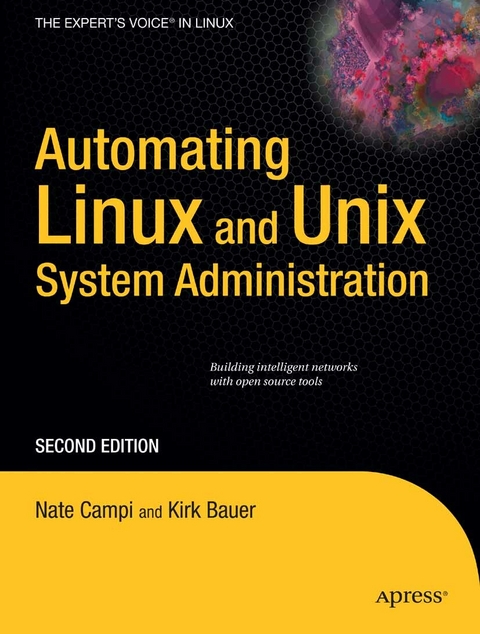
Automating Linux and Unix System Administration (eBook)
448 Seiten
Apress (Verlag)
978-1-4302-1060-3 (ISBN)
The author focuses solely on how UNIX and Linux system administrators can use well-known tools to automate tasks, even across multiple systems.
Nathan Campi is a UNIX and Linux system administrator by trade, working as a UNIX operations manager in San Francisco. His system administration experience is almost entirely with companies with large-scale web operations based on open source software. In his copious free time, he enjoys jogging, watching spaghetti westerns, experimenting with Linux systems, and spending time with his family.
Whether you need a network of ten Linux PCs and a server or a data center with a few thousand UNIX nodes, you need to know how to automate much of the installation, configuration, and standard system administration. Build your network once using cfengine, and the network build will work, without user intervention, on any hardware you prefer. Automating Linux and Unix System Administration, Second Edition is unique in its focus on how to make the system administrator's job easier and more efficient: instead of just managing the system administrator's time, the book explains the technology to automate repetitive tasks and the methodology to automate successfully. Both new and seasoned professionals will profit from industry leading insights into the automation process. System administrators will attain a thorough grasp of cfengine, kickstart, and shell scripting for automation. After reading all chapters and following all exercises in this book, the reader will be able to set up anything from a Linux data center to a small office network.
Nathan Campi is a UNIX and Linux system administrator by trade, working as a UNIX operations manager in San Francisco. His system administration experience is almost entirely with companies with large-scale web operations based on open source software. In his copious free time, he enjoys jogging, watching spaghetti westerns, experimenting with Linux systems, and spending time with his family.
A table of contents is not available for this title.
CHAPTER 4 Configuring Systems with cfengine (S. 49-50)
So far we’ve been discussing automation in a general way. At this point we’ll move beyond single ad hoc measures to a more systematic and robust approach. While you certainly have the option of writing your own collection of automation scripts, we recommend you use a proven automation framework: cfengine.
Getting an Overview of cfengine
Cfengine is software you can use to automate changes on UNIX (and UNIX- like) systems. It is a high- level language that describes system state, not a general- purpose programming language such as Perl or a shell. It’s primarily declarative, meaning that the SA writes out a technical description instead of a list of low- level steps to accomplish the goal. It is high- level enough that someone familiar with UNIX concepts and usage can read a cfengine configuration and understand what is being done without any prior cfengine knowledge. The language drives what you should consider your personal software robot. This robot (called ) does your repetitive work for you while you move on to other tasks. In this chapter we’ll use the current version of cfengine at the time of this writing: version 2.2.7.
Defining cfengine Concepts
Cfengine was designed to save time and reduce errors though automation. Its second, related goal is to enable computer systems to self- correct errors. It might take you some time to set up and configure cfengine, but you will be happier when everything has been said and done. At first, performing a new task with cfengine might take longer than performing the same task manually. But when you upgrade the operating system and lose a change made under the old OS installation, you’ll be glad you used cfengine because it will simply perform the change again. Or, when you realize a few other systems need the same change,you can use cfengine to make this happen in seconds (by adding the new systems to the appropriate class).
If you made the change manually, on the other hand, it might take some time before you even notice that the change was lost. Once you notice, you’ll have to make the change manually all over again—that is, of course, if you remember how you did it the last time. If ten new systems need a specific change, you might spend an hour changing each system yourself, whereas cfengine could have just done it for you.
Cfengine allows you to use one set of configuration files. Each host can transfer the configuration files from one or more cfengine servers before each run. As long as you make all the changes in that set of configuration files, all systems will receive the configuration updates automatically. You will no longer need to remember to make manual system changes.
You will no longer need to use special scripts for special systems and/or scripts that have so many conditionals (based on hostname, operating system, etc.) that they’ve become unreadable and difficult to maintain. Cfengine comes with a rich set of automatically detected UNIX characteristics that the SA can use to perform tasks on only the desired systems. Perhaps most important, this set of configuration files documents every change you make to every system. If you put a few comments in the files along with the commands, you will document not only what you have done but also why you did it.
| Erscheint lt. Verlag | 1.2.2009 |
|---|---|
| Zusatzinfo | 448 p. |
| Verlagsort | Berkeley |
| Sprache | englisch |
| Themenwelt | Informatik ► Betriebssysteme / Server ► Unix / Linux |
| Mathematik / Informatik ► Informatik ► Netzwerke | |
| Schlagworte | Administration • Administrator • Configuration • GNU • Installation • Linux • Network • Scripting • Server • Shell Scripting • system administration • system administrator • Technology • Time • UNIX |
| ISBN-10 | 1-4302-1060-5 / 1430210605 |
| ISBN-13 | 978-1-4302-1060-3 / 9781430210603 |
| Informationen gemäß Produktsicherheitsverordnung (GPSR) | |
| Haben Sie eine Frage zum Produkt? |
 PDF (Wasserzeichen)
DRM: Digitales Wasserzeichen
Dieses eBook enthält ein digitales Wasserzeichen und ist damit für Sie personalisiert. Bei einer missbräuchlichen Weitergabe des eBooks an Dritte ist eine Rückverfolgung an die Quelle möglich.
Dateiformat: PDF (Portable Document Format)
Mit einem festen Seitenlayout eignet sich die PDF besonders für Fachbücher mit Spalten, Tabellen und Abbildungen. Eine PDF kann auf fast allen Geräten angezeigt werden, ist aber für kleine Displays (Smartphone, eReader) nur eingeschränkt geeignet.
Systemvoraussetzungen:
PC/Mac: Mit einem PC oder Mac können Sie dieses eBook lesen. Sie benötigen dafür einen PDF-Viewer - z.B. den Adobe Reader oder Adobe Digital Editions.
eReader: Dieses eBook kann mit (fast) allen eBook-Readern gelesen werden. Mit dem amazon-Kindle ist es aber nicht kompatibel.
Smartphone/Tablet: Egal ob Apple oder Android, dieses eBook können Sie lesen. Sie benötigen dafür einen PDF-Viewer - z.B. die kostenlose Adobe Digital Editions-App.
Buying eBooks from abroad
For tax law reasons we can sell eBooks just within Germany and Switzerland. Regrettably we cannot fulfill eBook-orders from other countries.
aus dem Bereich